 Isomer
Apps that fit your life.
Describe what you need, and Isomer makes the app on your iPhone. A plant log, a shift rota, a box for recipes: yours in a minute, and you change it just by asking.
For iPhone with iOS 26. Making apps on your iPhone needs Apple Intelligence turned on.
Bring what you already have.
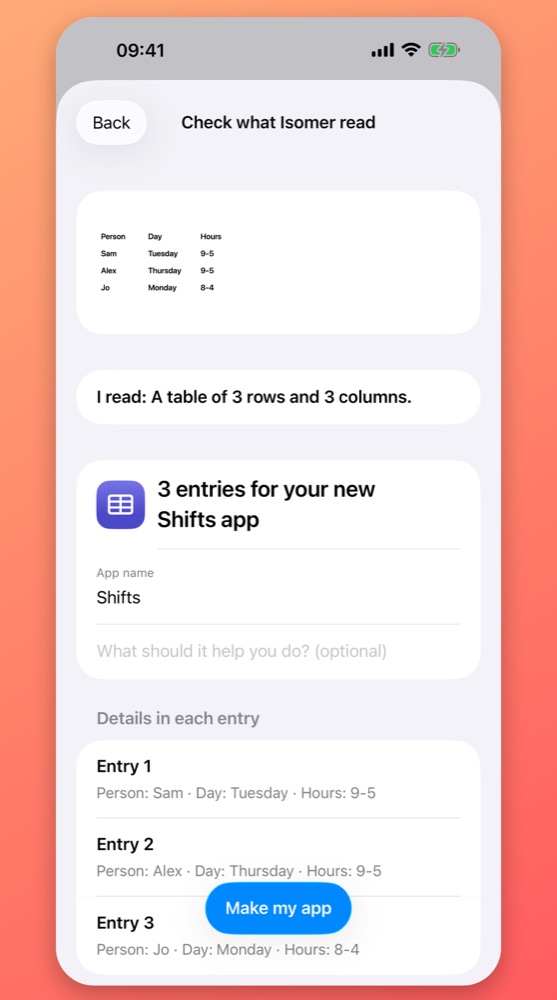
Take a photo of a list, a rota or a table on the fridge. Isomer reads it on your iPhone, shows you what it found, and turns it into an app with your entries already in. You check everything before it's saved.
Share once. Fill several apps.
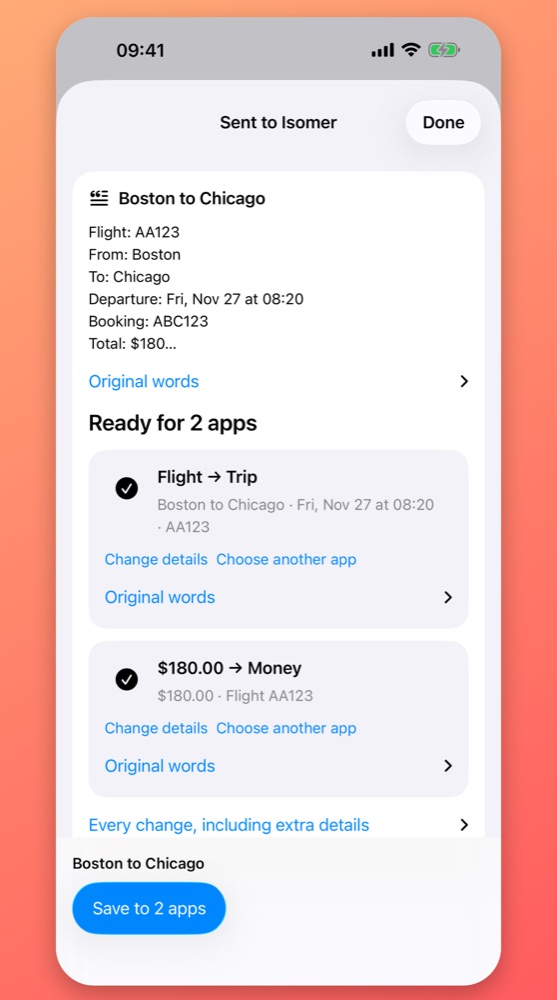
Share a note, a link or a photo into Isomer from any app. One message about a trip can add the flight to Trip and the cost to Money, and Isomer shows where each part goes before anything changes.
Photograph it again.
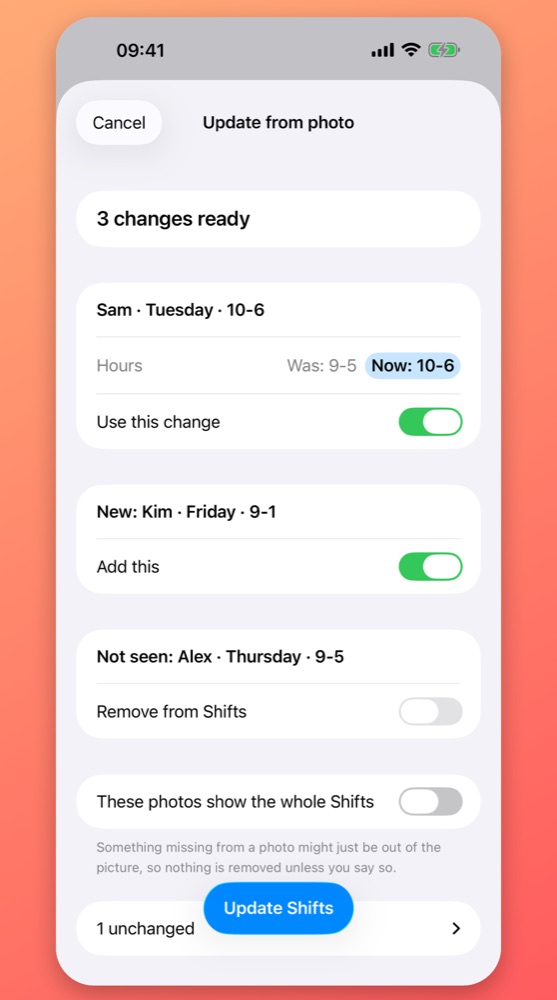
Lists change. Take a fresh photo of the same rota or pantry list, and Isomer shows what's new and what changed. You choose which updates to keep, and nothing is removed unless you say so.
Every change can be undone.
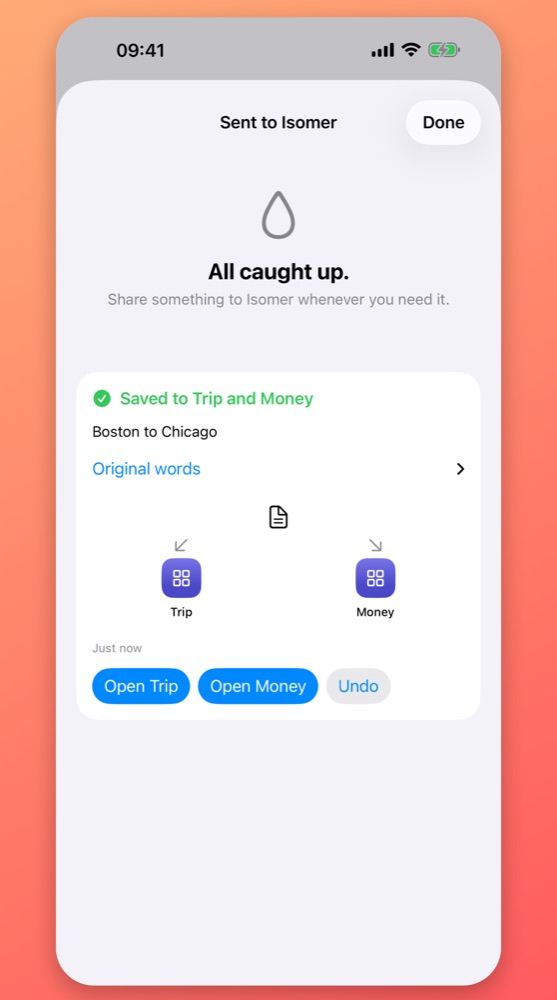
Whatever Isomer adds for you says where it went, with a way back. Undo it, open the app it landed in, or read the original words it came from.
Private by default.
- Your apps and entries stay on your iPhone. Isomer has no accounts, no servers, no ads and no tracking.
- Isomer's AI runs on your iPhone. If you choose to connect Claude, ChatGPT or Gemini with your own account, Isomer asks first and tells you exactly what it will send.
- Your Apple Health readings never leave your iPhone. Not to iCloud, not to any AI, not to any website.
- Turn on iCloud to keep your apps the same on all your devices, in your own iCloud.